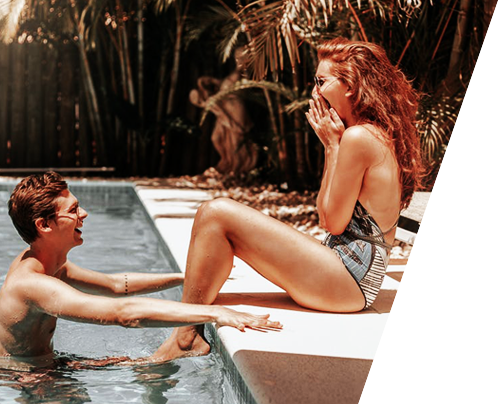

Artificial intelligence has dramatically changed the way people create digital content, especially videos. Tasks that once required advanced editing software and professional skills can now be completed with the help of AI-powered video generation models. One of the latest innovations in this space is Seedance 2.5, a powerful model designed to transform text prompts into visually engaging videos with impressive realism and smooth motion.
Whether you’re a content creator, marketer, educator, or simply curious about AI video generation, learning how to use Seedance 2.5 can help you produce professional-looking videos in far less time than traditional methods. This guide explains the basics, walks you through the process, and shares practical tips to help you get the best possible results.
What Is Seedance 2.5?
Seedance 2.5 is an advanced AI video generation model that creates videos from text descriptions or image inputs. Instead of manually animating scenes or editing clips frame by frame, users simply describe what they want to see, and the AI generates a matching video.
The model is designed to understand natural language prompts, recognize visual relationships, and generate realistic movement while maintaining consistency throughout the video. As AI technology continues to evolve, tools like Seedance 2.5 make professional-quality video creation accessible to beginners and experienced creators alike.
Why Is Seedance 2.5 Becoming Popular?
AI video generation has become increasingly popular because it saves time, reduces production costs, and makes creative projects more accessible. Seedance 2.5 stands out because it focuses on generating smoother animations, better object consistency, and more natural-looking camera movements.
Some of its key advantages include:
- High-quality text-to-video generation
- Improved motion realism
- Better character consistency
- Cinematic visual effects
- Faster rendering than many traditional workflows
- Easy accessibility for beginners
- Flexible creative possibilities
These benefits make it suitable for everything from educational videos and marketing campaigns to social media content and creative storytelling.
Step 1: Access Seedance 2.5
The first step is to access a platform that supports Seedance 2.5. Since the model may be integrated into different AI creative platforms, the exact interface can vary slightly.
For beginners, choosing a platform with a clean and intuitive interface makes the learning process much easier. For example, you can use Dreamina to explore Seedance 2.5 and generate AI-powered videos through a streamlined workflow that simplifies the creative process.
Once you have access, familiarize yourself with the dashboard before creating your first project.
Step 2: Write an Effective Prompt
The quality of your generated video depends heavily on your prompt.
A simple prompt like:
“A dog running.”
may produce acceptable results, but a detailed prompt usually creates a much better video.
For example:
“A golden retriever running through a green meadow during sunset with cinematic lighting, slow-motion camera movement, realistic fur details, and a joyful atmosphere.“
A strong prompt generally includes:
- The main subject
- Background or environment
- Lighting conditions
- Camera angle
- Camera movement
- Artistic style
- Mood or atmosphere
- Important actions
The more descriptive your prompt, the easier it is for the AI to understand your vision.
Step 3: Configure Video Settings
Before generating your video, you’ll usually have several customization options.
Common settings include:
- Video duration
- Aspect ratio
- Resolution
- Frame rate
- Motion intensity
- Visual style
- Output quality
If you’re just starting, keep the default settings while experimenting with prompts. As you gain experience, you can begin adjusting these options to match specific creative goals.
Step 4: Generate Your Video
After entering your prompt and selecting your preferred settings, click the generate button.
The AI will analyze your prompt and begin producing the video. Depending on the complexity of the request and available computing resources, generation may take anywhere from a few seconds to several minutes.
When the video is complete, review it carefully. Pay attention to movement, lighting, object consistency, and whether the final output matches your original idea.
Step 5: Improve the Results
Very few AI-generated videos are perfect on the first attempt.
Instead of starting over completely, make small improvements to your prompt.
You can try:
- Adding more descriptive details
- Specifying camera movement
- Defining lighting conditions
- Simplifying overly complex scenes
- Clarifying character actions
- Mentioning visual style preferences
Even minor prompt adjustments can significantly improve the quality of the generated video.
Best Practices for Beginners
If you’re using Seedance 2.5 for the first time, these practices can help you achieve better results:
- Write clear and detailed prompts.
- Focus on one scene at a time.
- Keep descriptions logically organized.
- Avoid conflicting instructions.
- Experiment with different artistic styles.
- Save successful prompts for future projects.
- Compare different prompt variations to understand how wording affects the final output.
Developing strong prompt-writing skills is one of the fastest ways to improve your AI-generated videos.
Common Mistakes to Avoid
Many beginners experience similar challenges when learning AI video generation.
Avoid these common mistakes:
- Using prompts that are too short.
- Including multiple unrelated actions in one scene.
- Forgetting to describe lighting or mood.
- Expecting perfect results immediately.
- Ignoring camera movement descriptions.
- Changing too many settings at once.
- Using vague descriptions without enough visual detail.
Learning from these mistakes will help you produce more consistent and visually appealing videos over time.
Practical Uses of Seedance 2.5
The flexibility of Seedance 2.5 makes it useful across many industries and creative fields.
Popular applications include:
- YouTube content creation
- TikTok and Instagram videos
- Product advertisements
- Educational animations
- Business presentations
- Storytelling projects
- Marketing campaigns
- Digital art
- Promotional content
- Creative concept visualization
Whether you’re building a personal brand or creating commercial content, AI-generated videos can significantly improve production speed while maintaining impressive visual quality.
Tips for Getting Professional Results
As you become more comfortable using Seedance 2.5, consider adopting more advanced techniques.
For example, break complex scenes into multiple shorter prompts rather than trying to describe an entire story at once. This often results in greater consistency and more accurate outputs.
You should also pay attention to details such as lighting direction, lens style, color palette, subject positioning, and movement speed. These small refinements can make your videos look much more polished.
Finally, don’t hesitate to experiment. AI video generation is an iterative process, and each prompt teaches you something new about how the model interprets your instructions.
Conclusion
Seedance 2.5 is making AI-powered video creation easier, faster, and more accessible than ever before. With a basic understanding of prompt writing, thoughtful use of settings, and a willingness to experiment, even complete beginners can create visually impressive videos without advanced editing skills.
As AI technology continues to evolve, mastering Seedance 2.5 will become an increasingly valuable skill for creators, marketers, educators, and businesses looking to produce engaging visual content efficiently. By practicing regularly and refining your prompts, you’ll be well on your way to creating professional-quality AI videos with confidence.
Read More: Nvidia RTX 60 Specifications Leak: Rubin GPUs & 32GB VRAM